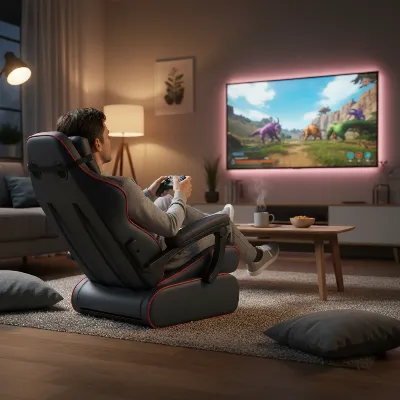
For dedicated gamers, long hours spent in front of a screen can take a significant toll on the body, particularly the lower back. The “gamer slouch” is a common enemy, leading to discomfort, pain, and even long-term spinal issues. The key to combating this insidious problem lies in selecting the right gaming chair, specifically one equipped with superior built-in lumbar support. This isn’t just about cushioning; it’s about active ergonomic design that maintains your spine’s natural curve, reducing strain and allowing you to remain focused and comfortable during epic sessions. In this comprehensive guide, we’ll dive deep into the world of gaming chairs with integrated lumbar support, exploring what makes them essential, the different types available, crucial buying factors, and the top brands leading the charge in ergonomic excellence.
Understanding Built-in Lumbar Support in Gaming Chairs
Your lumbar spine, the natural inward curve of your lower back, is highly susceptible to flattening or rounding when seated for extended periods. This incorrect posture puts immense pressure on your spinal discs and muscles, leading to stiffness, fatigue, and chronic pain. Lumbar support in a gaming chair is engineered to gently push into this region, preserving that natural S-shape and encouraging healthy posture, thereby reducing the strain on your lower back. It’s an active ergonomic tool, not merely a passive cushion, designed to counteract slouching and keep your body aligned, which is vital for both health and sustained gaming performance.
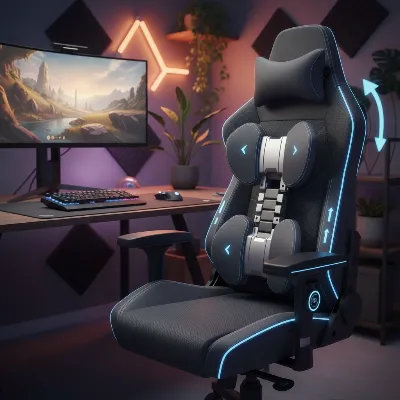 An ergonomic gaming chair showcasing its built-in lumbar support system, designed for optimal spinal alignment.
Not all lumbar support systems are created equal, and understanding the distinctions is crucial for making an informed choice.
Types of Integrated Lumbar Support
- Fixed Support: This is the most basic form, typically consisting of shaped foam or a plastic insert built directly into the chair’s backrest. While it offers some level of basic comfort and support, its non-moving nature means it provides a one-size-fits-all approach that might not perfectly match every individual’s unique spinal curve. It’s generally better than no support at all but offers limited customization.
- Adjustable Support: A significant upgrade, this type allows you to fine-tune the support to your specific needs. Using a dial, lever, or even a remote control, you can typically adjust both the height and the depth (or inward pressure) of the lumbar pad. This level of customization ensures the support aligns precisely with the hollow of your back, making it the most ergonomic option for personalized comfort. If you share your chair or have varying posture needs, adjustable support is highly recommended.
- Dynamic or Self-Adjusting Support: Representing the pinnacle of lumbar support technology, dynamic systems automatically adapt to your movements. For instance, if you lean forward during intense gameplay, the system subtly adjusts to maintain consistent support, ensuring continuous ergonomic alignment without manual intervention. This advanced feature is often found in high-end ergonomic chairs and provides an unparalleled level of consistent support.
|
Our Picks for the Best Gaming Chair in 2026
As an Amazon Associate I earn from qualifying purchases.
|
||
| Num | Product | Action |
|---|---|---|
| 1 | BestOffice High-Back Gaming Chair PC Office Chair Computer Racing Chair PU Desk Task Chair Ergonomic Executive Swivel Rolling Chair with Lumbar Support for Back Pain Women, Men,Blue |

|
| 2 | Gaming Chair Office Chair Desk Chair Ergonomic Executive Swivel Rolling Computer Chair with Lumbar Support, Pink |
|
| 3 | Gaming Chair,Ergonomic Massage Computer Office Desk Chair with Footrest,Pocket Spring Cushion,Reclining Leather Adjustable Gamer Chair with Headrest and Lumbar Support,Purple |
|
| 4 | Gaming Chair, 400 lbs Adult Chair, High Back Computer Chair with Footrest and Linked Armrests, Office Video Game Chair with Lumbar Support (Grey) |
|
| 5 | Gaming Chair,Ergonomic Massage Computer Office Desk Chair with Footrest,Pocket Spring Cushion,Reclining Leather Adjustable Gamer Chair with Headrest and Lumbar Support,Black |
|
| 6 | BestOffice High-Back Gaming Chair PC Office Chair Computer Racing Chair PU Desk Task Chair Ergonomic Executive Swivel Rolling Chair with Lumbar Support for Back Pain Women, Men,White |
|
| 7 | Office Chair Gaming Chair Desk Chair Ergonomic Executive Swivel Rolling Computer Chair with Lumbar Support |
|
| 8 | BestOffice PC Gaming Chair Ergonomic Office Chair Cheap Desk Chair Executive Task Computer Chair Back Support Modern Executive Adjustable Arms Rolling Swivel Chair for Women, Men |
|
| 9 | White Gaming Chair,Ergonomic Massage Computer Office Desk Chair with Footrest,Pocket Spring Cushion,Reclining Leather Adjustable Gamer Chair with Headrest and Lumbar Support,White |
|
| 10 | BestOffice Gaming Chair Office Chair Ergonomic Desk Chair Racing Style Gaming Chair with Lumbar Support, Swivel Rolling Base, and Comfortable Padded Seat for Women and Men |
|
Key Factors for Choosing a Gaming Chair with Built-in Lumbar Support
Selecting the ideal gaming chair goes beyond aesthetics. It requires a deep dive into ergonomic features that directly impact your long-term health and comfort. When built-in lumbar support is a priority, several interconnected factors come into play.
Ergonomics and Adjustability
A truly effective gaming chair is one that can be tailored to your unique body and sitting habits. Integrated lumbar support is most beneficial when it’s part of a comprehensive adjustment system. Look for chairs that offer:
- Lumbar Height and Depth Adjustment: As discussed, the ability to move the lumbar support vertically and control its protrusion is paramount for aligning it with your spine’s natural curve.
- Seat Height Adjustment: Ensure your feet can rest flat on the floor with your knees at a 90-degree angle, promoting healthy circulation and reducing lower back pressure.
- Recline and Tilt Mechanisms: A wide recline range (e.g., 90-165 degrees) allows you to shift positions, alleviating spinal pressure. Tilt tension adjustment ensures the chair responds appropriately to your body weight.
- Armrest Adjustability (3D/4D): Armrests that move up/down, forward/backward, side-to-side, and pivot provide crucial support for your arms and shoulders, preventing strain that can indirectly affect your back and neck.
Comfort and Materials
Even with perfect lumbar support, a chair won’t be comfortable if its materials and padding are subpar.
- Padding: High-density foam or memory foam is preferred as it retains its shape and provides consistent support over time, preventing pressure points. A waterfall seat edge can also prevent thigh pressure and promote circulation.
- Breathability: For long sessions, materials that allow airflow are critical to prevent overheating and discomfort. Mesh, breathable fabric, or high-quality perforated PU leather can make a significant difference.
- Durability: A sturdy frame (preferably steel) and resilient upholstery ensure the chair maintains its structural integrity and support capabilities over years of use.
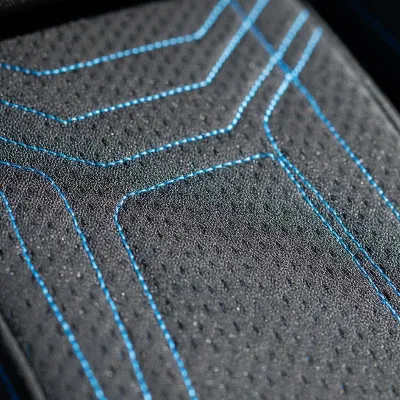 Close-up of a gaming chair's material, highlighting its breathable fabric and robust stitching, indicating high quality and comfort.
Proper Fit and Sizing
A chair’s ergonomic features, especially lumbar support, are only effective if the chair is correctly sized for your body.
- Height and Weight Capacity: Always check the manufacturer’s recommendations. A chair too large might not provide adequate lumbar contact, while one too small can be restrictive and uncomfortable.
- Seat Dimensions: Ensure the seat width doesn’t press into your thighs and that the seat depth allows for a small gap between the back of your knees and the seat’s edge. This prevents circulatory issues and allows the lumbar support to function optimally.
- Backrest Height: For taller individuals, a higher backrest is necessary to ensure the headrest and integrated lumbar support align correctly with their spine.
Top Gaming Chair Brands with Exceptional Built-in Lumbar Support
Several brands stand out for their commitment to integrating advanced lumbar support into their gaming chair designs. These manufacturers understand that true gaming comfort is rooted in ergonomic excellence.
Brands Overview
- Secretlab: Often considered the industry benchmark, Secretlab chairs are lauded for their robust build quality and advanced internal lumbar adjustment systems, suitable for various body types.
- Herman Miller: Known for their premium office chairs, their gaming collaborations (e.g., with Logitech G) bring high-end ergonomic principles, like dynamic PostureFit lumbar support, to the gaming world.
- Razer: Their Iskur series features a distinctive integrated lumbar arch, offering excellent spinal support, with some models providing adjustable options.
- AndaSeat: These chairs frequently offer internal adjustable lumbar support, with specific models designed to accommodate larger users, ensuring broad appeal.
- Libernovo: An innovative brand, the Omni Dynamic Ergo Chair boasts a unique dynamic lumbar system that actively moves with the user.
- CoreChair: Distinguished by its customizable lumbar support mechanism, which also promotes beneficial micro-movements.
Detailed Comparison Table
| Brand/Model | Lumbar Support Feature | Pros | Cons | Price Range (Approx.) |
|---|---|---|---|---|
| Secretlab Titan Evo | 4-way internal adjustable lumbar via knob | Highly customizable, excellent build quality, multiple sizes, diverse upholstery options. | Can be pricey, firm cushioning may not suit all. | $500 – $700+ |
| Herman Miller Vantum / Embody | PostureFit/Dynamic tension adjustment (Embody) | Premium ergonomics, exceptional back/shoulder support, superior durability (long warranty). | Very expensive, often has an “office chair” aesthetic rather than traditional gaming. | $1000 – $1800+ |
| Razer Iskur V2 / V2 X | Integrated lumbar arch, V2 adjustable, V2 X static | Distinctive design, good posture focus, durable materials, V2 X is a good budget option. | V2 X lacks advanced adjustments, V2 can be firm. | $300 – $700+ |
| Libernovo Omni Dynamic Ergo | Dynamic lumbar system, powered lumbar adjustment | Moves with user, innovative features like back stretching, highly supportive and comfortable. | Requires charging for full functionality, shorter warranty than some luxury brands. | $800 – $1200+ |
“Investing in a gaming chair with high-quality built-in lumbar support isn’t a luxury; it’s a proactive step towards preserving your spinal health and enhancing your gaming experience. The right support can dramatically reduce fatigue and allow for hours of comfortable, focused gameplay.” – Dr. Elena Rodriguez, Ergonomics Specialist.
Buying Guide: Securing Your Ideal Gaming Chair
Finding the perfect gaming chair with built-in lumbar support involves a thoughtful process, blending self-assessment with thorough research.
Assess Your Needs
Before you begin browsing, take stock of your personal requirements:
- Budget: Gaming chairs range widely in price, from budget-friendly options to high-end luxury models. Set a realistic budget to narrow down your choices.
- Usage Time: How many hours a day do you typically spend in your chair? Longer sessions necessitate more advanced ergonomic features and higher quality materials.
- Body Dimensions: Crucially, consider your height and weight. Ensure the chair’s specifications match your body type to guarantee proper ergonomic fit and effective lumbar support.
- Gaming Style: Do you prefer an aggressive, leaned-forward posture for competitive play, or a more relaxed recline for casual gaming and media consumption?
Research and Compare
Once you have a clear picture of your needs, dive into research:
- Read Reviews: Look for detailed reviews from other gamers and ergonomic experts, paying close attention to feedback specifically on lumbar support effectiveness and adjustability.
- Watch Video Reviews: Visual demonstrations can offer insights into the chair’s adjustability mechanisms and overall feel that written reviews might miss.
- Compare Specifications: Pit different models against each other, focusing on lumbar support type, adjustability range, material quality, and weight capacity.
- Seek In-Store Experience: If possible, test chairs in person. Sitting in a chair allows you to immediately assess its comfort and verify how well the lumbar support aligns with your spine.
Purchase Wisely
After narrowing down your options, consider these points before making a final purchase:
- Warranty and Return Policy: A good warranty (e.g., 5-12 years) is a strong indicator of manufacturer confidence in product durability. Understand the return policy in case the chair doesn’t meet your expectations.
- Vendor Reputation: Choose reputable retailers or directly from the brand to ensure genuine products and reliable customer service.
- Assembly: Some chairs require extensive assembly, while others are relatively straightforward. Check reviews for ease of assembly.
Conclusion
Choosing the best gaming chair with built-in lumbar support is a critical investment in your comfort, health, and gaming performance. By understanding the importance of proper spinal alignment, recognizing the different types of integrated lumbar support, and carefully evaluating factors like adjustability, materials, and fit, you can find a chair that truly elevates your experience. From the customizable support of a Secretlab Titan Evo to the dynamic ergonomics of a Libernovo Omni or Herman Miller, there’s an ideal solution waiting to cradle your back and keep you in the game longer. Prioritize your well-being, and let a superior gaming chair be the foundation for countless hours of focused, pain-free gaming.
What will be the next upgrade you make to your setup to ensure maximum comfort and performance during your gaming adventures?
Frequently Asked Questions
Why is built-in lumbar support better than a separate lumbar pillow?
Built-in lumbar support, especially adjustable and dynamic systems, is generally superior because it’s integrated into the chair’s design to perfectly contour and stabilize your lower back. Unlike often cumbersome pillows that can shift or offer inconsistent support, built-in mechanisms provide precise, customizable, and stable ergonomic alignment that directly counteracts slouching and reduces strain.
Can a gaming chair with built-in lumbar support prevent back pain entirely?
While a gaming chair with excellent built-in lumbar support significantly reduces the risk and severity of back pain by promoting proper posture, it cannot prevent pain entirely, especially if other ergonomic factors (like monitor height or sitting habits) are ignored. Regular breaks, stretching, and maintaining an active lifestyle are still crucial for overall spinal health.
How do I know if the built-in lumbar support is adjusted correctly for me?
The built-in lumbar support is correctly adjusted when it comfortably fills the natural inward curve of your lower back without pushing you forward uncomfortably. Your spine should maintain its natural S-shape, and you should feel supported without tension. Experiment with height and depth adjustments until you achieve a snug, supportive fit that reduces strain.
Are gaming chairs with dynamic lumbar support worth the higher price?
Gaming chairs with dynamic lumbar support are generally worth the higher price for users who spend extensive hours seated and frequently shift their posture. This advanced technology automatically adapts to your movements, providing continuous, consistent support that is unmatched by fixed or manually adjustable systems, ultimately enhancing long-term comfort and reducing fatigue.
Can a gaming chair with built-in lumbar support be used as an office chair?
Yes, many Gaming Chairs with robust built-in lumbar support and comprehensive adjustability can function exceptionally well as office chairs. The ergonomic principles that benefit gamers during long sessions—such as proper spinal alignment and adjustability—are equally beneficial for extended work periods, making them a versatile choice for a dual-purpose setup.