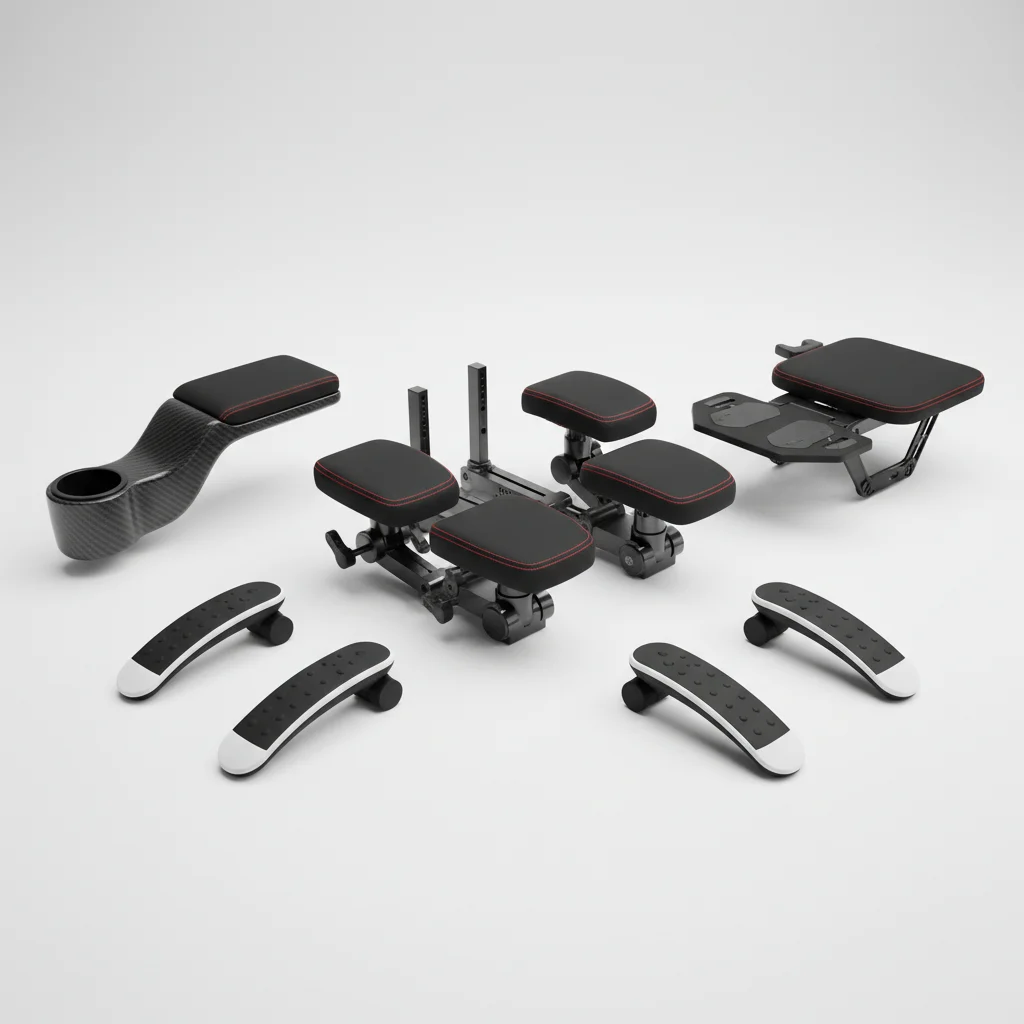
Gaming chair armrests are often overlooked but play a crucial role in maintaining comfort and preventing strain during long gaming sessions. There are typically five main types of armrests available on gaming chairs, each offering different levels of adjustability and support. Understanding these variations can significantly impact your ergonomic setup and overall gaming experience.
Understanding the Different Types of Gaming Chair Armrests
The adjustability of gaming chair armrests is usually categorized by a numerical system, often referred to as 1D, 2D, 3D, 4D, or even 5D. A 1D armrest offers basic height adjustment, allowing you to move it up or down. This is the most fundamental type and is found on many entry-level gaming chairs.
2D and 3D Armrests: Enhanced Customization
Moving up the scale, 2D armrests add a second dimension of movement, typically forward and backward, in addition to height adjustment. This allows for a bit more customization to suit your desk setup and arm length. 3D armrests further enhance this by adding a third dimension, usually pivot or swivel, allowing the armrest to rotate inwards or outwards. This is particularly useful for different gaming postures, such as when using a controller or a keyboard and mouse.
- 1D: Height adjustment only
- 2D: Height and forward/backward adjustment
- 3D: Height, forward/backward, and pivot/swivel adjustment
- 4D: Height, forward/backward, pivot/swivel, and side-to-side adjustment
- 5D: All 4D adjustments plus an additional angle or tilt adjustment
4D and 5D Armrests: The Pinnacle of Ergonomic Support
For serious gamers and those who spend extended periods at their desk, 4D armrests offer a significant upgrade. These armrests provide height, forward/backward, pivot/swivel, and side-to-side adjustments. This comprehensive range of motion ensures that you can position your arms and wrists in the most ergonomically sound way, reducing the risk of repetitive strain injuries. Some premium chairs even feature 5D armrests, which add an extra dimension like an angle or tilt adjustment, providing the ultimate in personalized comfort and support. These advanced armrests are often found on high-end models designed for professional use.
Why Armrest Adjustability Matters for Gamers
|
Our Picks for the Best Gaming Chair in 2026
As an Amazon Associate I earn from qualifying purchases.
|
||
| Num | Product | Action |
|---|---|---|
| 1 | Gaming Chair, High Back Fabric Computer Chair with Pocketed Spring Cushion and Footrest, Height Adjustable Game Chair with Headrest and Lumbar Support (Beige & Green) |

|
| 2 | Gaming Chair Office Chair Desk Chair Ergonomic Executive Swivel Rolling Computer Chair with Lumbar Support, Pink |
|
| 3 | Gaming Chair with Footrest for Adults - Ergonomic Gaming Chairs with Foot Rest - Big and Tall Computer Game Chair - Fabric Reclining Video Game Chairs with Spring Cushion - Blue/Light Grey |
|
| 4 | BestOffice High-Back Gaming Chair PC Office Chair Computer Racing Chair PU Desk Task Chair Ergonomic Executive Swivel Rolling Chair with Lumbar Support for Back Pain Women, Men,White |
|
| 5 | Gaming Chair with Footrest for Adults - Ergonomic Gaming Chairs with Foot Rest - Big and Tall Computer Game Chair - PU Leather Reclining Video Game Chairs with Spring Cushion - Black/Light Blue |
|
| 6 | BestOffice High-Back Gaming Chair PC Office Chair Computer Racing Chair PU Desk Task Chair Ergonomic Executive Swivel Rolling Chair with Lumbar Support for Back Pain Women, Men,Blue |
|
| 7 | White Gaming Chair,Ergonomic Massage Computer Office Desk Chair with Footrest,Pocket Spring Cushion,Reclining Leather Adjustable Gamer Chair with Headrest and Lumbar Support,White |
|
| 8 | Gaming Chair with Footrest, Ergonomic Fabric Computer Chair with Lumbar Support, High Back Reclining Office Chair with Adjustable Height & Angle, 300KG Capacity (Grey Linen) |
|
| 9 | Ergonomic Gaming Chair, Video Game Chair with Pocket Spring Cushion and Footrest, Height Adjustable Computer Chair with Swivel Seat and Headrest (Purple) |
|
| 10 | Fabric Gaming Chair, Skin-Friendly and Breathable, Manufactured by A Reputable Manufacturer, Safe and Stable, Specially Designed for Gaming.with Footrest Mg(1005-LightBlue) |
|
Proper armrest adjustment is vital for maintaining good posture and preventing discomfort. When your armrests are set correctly, they support the weight of your arms, taking pressure off your shoulders and neck. This can significantly reduce fatigue during marathon gaming sessions. Incorrectly positioned armrests can lead to slouching, shoulder pain, and even carpal tunnel syndrome over time. Investing in a chair with highly adjustable armrests is an investment in your long-term health and gaming performance.
Consider your typical gaming setup and preferred posture when evaluating armrest options. If you frequently switch between keyboard and mouse and a controller, 3D or 4D armrests will offer the flexibility you need. For those who primarily use a keyboard and mouse, ensuring the armrests can align with your desk height is paramount to prevent wrist strain.
Materials and Durability of Gaming Chair Armrests
Gaming chair armrests come in various materials, each with its own benefits and drawbacks. Common materials include hard plastic, padded plastic, PU leather, and even memory foam. Hard plastic is durable but can be uncomfortable over long periods. Padded armrests, often covered in PU leather or fabric, offer a softer feel and better comfort. Some high-end chairs feature memory foam padding for superior pressure relief. The durability of the armrest mechanism itself is also important; look for sturdy metal components rather than flimsy plastic to ensure longevity and stable support.
Ultimately, the best gaming chair armrests are those that allow you to achieve a comfortable and ergonomic position for your arms and shoulders, regardless of your gaming style or duration. Prioritize adjustability and material quality to enhance your overall gaming experience and protect your health.
Get our weekly buyer guide
Practical specs, not advice. Unsubscribe anytime.
