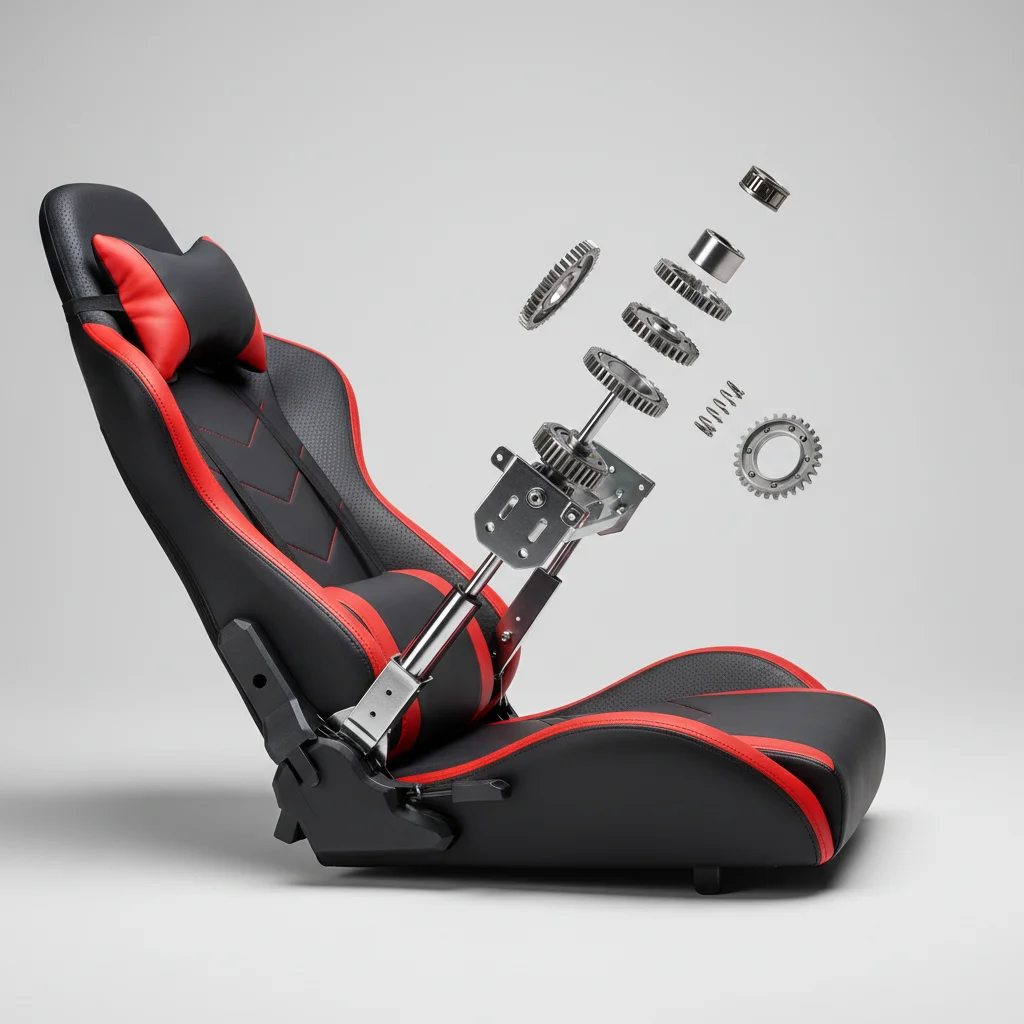
Understanding the different types of reclining mechanisms in gaming chairs is crucial for finding the perfect balance of comfort and adjustability. There are primarily three main types of reclining mechanisms found in gaming chairs: multi-functional tilt, conventional tilt, and knee-tilt. Each offers distinct advantages and disadvantages, impacting how you can position yourself during long gaming sessions.
Multi-Functional Tilt: Precision and Versatility
The multi-functional tilt mechanism is often considered the most advanced and versatile option available. It allows for independent adjustment of both the seat and backrest angles, providing a high degree of customization. Users can lock the chair at various angles, from an upright position for focused gaming to a deep recline for relaxation. This mechanism typically includes a tension knob to control the resistance of the recline, ensuring smooth and controlled movement. Chairs with this feature often command a higher price point due to their enhanced engineering and ergonomic benefits. For gaming chairs buying guides on this site.
This type of mechanism is ideal for gamers who spend extended periods in their chairs and require precise control over their posture. It supports a wider range of activities, from intense competitive gaming to watching movies or even napping. The ability to fine-tune both the seat and backrest independently helps in maintaining optimal spinal alignment and reducing pressure points.
Conventional Tilt: Simplicity and Ease of Use
The conventional tilt mechanism is a more common and straightforward design. With this mechanism, the entire seat and backrest tilt backward together as one unit. While it offers less independent control compared to the multi-functional tilt, it is generally easier to operate. A single lever typically controls the recline, and a tension knob adjusts the tilt resistance. Many conventional tilt chairs also feature a lock-out function, allowing you to fix the chair in an upright position.
This mechanism is a good choice for gamers who prefer a simpler operation and don’t require extreme customization. It provides adequate comfort for most gaming scenarios and is often found in mid-range gaming chairs. While it may not offer the same level of ergonomic precision, it still allows for comfortable reclining and rocking motions.
Knee-Tilt: Ergonomic Support for Forward Lean
|
Our Picks for the Best Gaming Chair in 2026
As an Amazon Associate I earn from qualifying purchases.
|
||
| Num | Product | Action |
|---|---|---|
| 1 | Gaming Chair, High Back Fabric Computer Chair with Pocketed Spring Cushion and Footrest, Height Adjustable Game Chair with Headrest and Lumbar Support (Beige & Green) |

|
| 2 | Gaming Chair with Footrest for Adults - Ergonomic Gaming Chairs with Foot Rest - Big and Tall Computer Game Chair - Fabric Reclining Video Game Chairs with Spring Cushion - Blue/Light Grey |
|
| 3 | Gaming Chair with Footrest for Adults - Ergonomic Gaming Chairs with Foot Rest - Big and Tall Computer Game Chair - PU Leather Reclining Video Game Chairs with Spring Cushion - Black/Light Blue |
|
| 4 | White Gaming Chair,Ergonomic Massage Computer Office Desk Chair with Footrest,Pocket Spring Cushion,Reclining Leather Adjustable Gamer Chair with Headrest and Lumbar Support,White |
|
| 5 | Fabric Gaming Chair, Skin-Friendly and Breathable, Manufactured by A Reputable Manufacturer, Safe and Stable, Specially Designed for Gaming.with Footrest Mg(1005-LightBlue) |
|
| 6 | Ergonomic Gaming Chair, Video Game Chair with Pocket Spring Cushion and Footrest, Height Adjustable Computer Chair with Swivel Seat and Headrest (Purple) |
|
| 7 | BestOffice High-Back Gaming Chair PC Office Chair Computer Racing Chair PU Desk Task Chair Ergonomic Executive Swivel Rolling Chair with Lumbar Support for Back Pain Women, Men,White |
|
| 8 | BestOffice High-Back Gaming Chair PC Office Chair Computer Racing Chair PU Desk Task Chair Ergonomic Executive Swivel Rolling Chair with Lumbar Support for Back Pain Women, Men,Blue |
|
| 9 | Gaming Chair Office Chair Desk Chair Ergonomic Executive Swivel Rolling Computer Chair with Lumbar Support, Pink |
|
| 10 | Gaming Chair with Footrest, Ergonomic Fabric Computer Chair with Lumbar Support, High Back Reclining Office Chair with Adjustable Height & Angle, 300KG Capacity (Grey Linen) |
|
The knee-tilt mechanism, also known as a synchronized tilt, pivots from a point closer to the front of the seat, keeping your feet flat on the floor even when reclining. This design is particularly beneficial for maintaining good posture, especially when leaning forward. It allows for a more natural recline motion, reducing pressure on the back of your thighs and improving circulation. Like other mechanisms, it usually includes a tension adjustment and a locking feature.
Gamers who frequently lean forward or prefer a more active sitting style will find the knee-tilt mechanism highly beneficial. It helps to keep the user’s feet grounded, which is important for stability and comfort during intense gaming sessions. This mechanism is often found in higher-end ergonomic gaming chairs that prioritize long-term health and comfort.
Key Considerations When Choosing a Reclining Mechanism
When selecting a gaming chair, consider these factors related to its reclining mechanism:
- Recline Angle: How far back do you need to recline for comfort or relaxation?
- Locking Positions: Does the mechanism offer enough locking angles to suit your various activities?
- Tension Control: Is the tension adjustment easy to use and effective for your weight?
- Independent Adjustments: Do you need to adjust the seat and backrest separately?
- Durability: Is the mechanism constructed from robust materials for long-term use?
Ultimately, the best reclining mechanism depends on your personal preferences, gaming habits, and budget. For maximum versatility and ergonomic precision, a multi-functional tilt is often the superior choice. However, conventional and knee-tilt mechanisms offer excellent comfort and functionality for many users.
Investing in a gaming chair with the right reclining mechanism can significantly enhance your gaming experience, providing the comfort and support needed for marathon sessions. Take the time to understand the differences and choose the one that best fits your needs.
Maintaining Your Reclining Mechanism
To ensure the longevity and smooth operation of your gaming chair’s reclining mechanism, regular maintenance is key. Periodically check all bolts and screws to ensure they are tight, as loose connections can lead to wobbling or stiffness. Lubricating moving parts with a silicone-based spray can prevent squeaking and ensure a fluid recline. Avoid using oil-based lubricants, as they can attract dust and grime. Additionally, be mindful of the weight limit specified by the manufacturer, as exceeding it can put undue stress on the mechanism and lead to premature wear.
Get our weekly buyer guide
Practical specs, not advice. Unsubscribe anytime.
